Original or Fake Scanner Online: Free Ways to Check Products in Nigeria
Looking for a free original or fake scanner online? See which product checkers work in Nigeria, which ones don't, and how to verify safely.
24 Nov 2026 · 3 min read
There is no app that can look at any product and tell you if it is fake. A real original or fake scanner online works only when the manufacturer has put a unique, verifiable code on the pack. Knowing this one fact saves Nigerian shoppers from false confidence and from fake "checker" websites.
What an online fake product detector really does
When you type "original or fake scanner" into Google, you will find three kinds of tools. Only one gives a reliable answer.
| Tool type | How it works | Can it prove your pack is genuine? |
|---|---|---|
| Generic barcode reader | Reads the shop barcode and shows the product name | No. Fakes copy the same barcode |
| Image or AI "spot the fake" app | Compares photos of the packaging | Rarely. Good copies pass |
| Brand-linked verification platform (e.g. Chekkit) | Checks the pack's unique serial code against the maker's records | Yes, for protected products |
Why generic barcode scanners give false comfort
The standard barcode on a product identifies the product type, not your individual pack. A counterfeiter printing fake labels simply copies it. So a barcode app will happily show "Product: Paracetamol 500mg" for a fake pack. That is identification, not authentication.
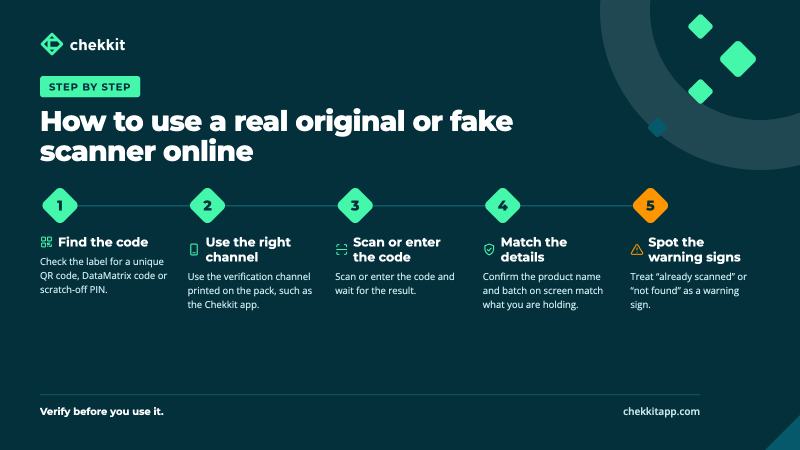
How to use a real original or fake scanner online
- Check the label for a unique QR code, DataMatrix code or scratch-off PIN.
- Use the verification channel printed on the pack, such as the Chekkit app.
- Scan or enter the code and wait for the result.
- Confirm the product name and batch on screen match what you are holding.
- Treat "already scanned" or "not found" as a warning sign.
Avoid scanning codes that send you to an unfamiliar website asking for payment or personal details. A fake "verified" page is easy to build. A trusted platform does not need your bank details to verify a product.
Signs a product checker online is not trustworthy
- It asks you to pay before showing a result.
- It says "genuine" for every code, even ones you type at random.
- It has no link to the brand or to NAFDAC.
- It cannot tell you whether the code has been scanned before.
Where Chekkit fits
Chekkit's free app is a real or fake product checker for products protected by Chekkit. Behind it sits Chekkit's Track and Trace system. Each genuine unit receives a unique GS1-standard identity at the factory, and its movement is recorded from production to the retail shelf.
That is why the result means something. The app is not guessing from a photo. It is checking whether this exact unit was produced, where it was meant to go, and whether its code has already been used. Repeat scans of one code across different locations are a strong sign of cloning, and brands can see those alerts on their dashboard.
What to do when no scan option exists
Many products in Nigeria still carry no authentication code. For those, buy from authorised distributors and pharmacies, check the expiry and batch number, compare the price with the brand's official price, and watch NAFDAC's public alerts. Then ask the brand why it is not protecting you.
FAQs
Can I scan a product from a photo? Only if the photo clearly shows the unique code. Scanning someone else's photo does not prove your own pack is genuine.
Why does the app say "already verified"? The code has been checked before. If you did not scan it yourself, the code may have been copied onto a fake pack.
Get the free Chekkit app. Brands that want their products to pass a real scan can explore ChekTrace.